





What Is UI/UX Design? An Easy Explanation for Everyone
Open a website or app, and within seconds you can tell whether it feels effortless or clunky. Some products let you find what you’re after and finish your task without a second thought. Others leave you tapping through unclear menus, unsure what a button is even for. That gap almost always comes down to UI/UX design.
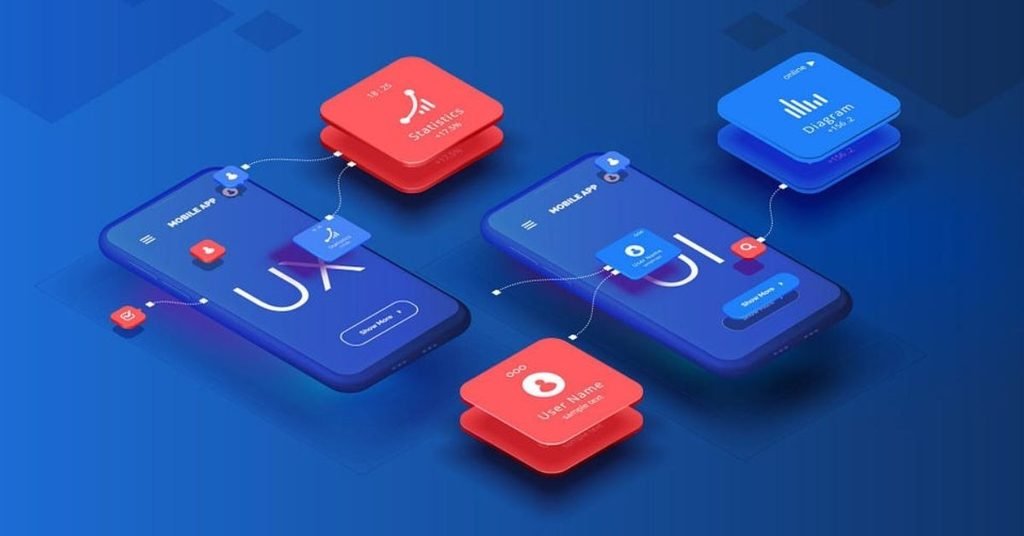
UI and UX are the two pillars behind any digital product people actually enjoy using. UI shapes how a screen looks and reacts. UX shapes how the entire product functions and feels from start to finish. Together, they turn a website, app, or piece of software into something people want to keep using.
This guide breaks down what UI/UX design really means, how UI and UX differ, what the typical workflow looks like, why it’s worth prioritizing, common mistakes to steer clear of, and where things are heading next.
What Is UI/UX Design?
UI/UX design is the discipline of shaping digital products around real user needs, expectations, and behavior — not assumptions.
UI (User Interface) covers everything a person sees and clicks: buttons, colors, typography, icons, menus, forms, imagery, and layout.
UX (User Experience) covers the full journey someone takes while using a product — research, navigation planning, structure, user flows, wireframes, prototypes, usability testing, and interaction design.
Picture an online store. The product photos, color palette, fonts, and button styling all fall under UI. Searching for an item, opening its page, adding it to a cart, and finishing checkout all fall under UX.
A product can look flawless and still fail if people can’t complete what they came to do — which is exactly why UI and UX need to move together, not separately.
UI vs UX: How Do They Differ?
UI and UX are closely linked, but they aren’t the same job.
UI determines how a product looks and how it responds on screen. UX determines how the product actually functions and how using it feels.
A UI designer picks a button’s color, size, and font. A UX designer decides where that button belongs, what it does when tapped, and whether people instantly understand its purpose.
Put simply: UI is the interface. UX is everything that surrounds it.
Neither can carry a product alone. A striking screen can’t fix a confusing path, and a fully working product still struggles if it feels inconsistent or hard to follow.
Why Does UI/UX Design Matter?
People expect digital products to just work, without any learning curve. If something feels confusing, most won’t bother figuring it out — they’ll leave instead.
Thoughtful UI/UX design clears away the friction sitting between a user and their goal.
Simplifies Everyday Tasks Clear menus, readable content, sensible layouts, and familiar patterns help people finish what they came to do.
Increases Engagement Once a product makes sense, people are far more willing to explore its features and return later.
Improves Conversions A carefully mapped journey makes it easier for people to sign up, request a quote, or complete a purchase.
Builds Trust A clean, consistent interface leaves a stronger first impression and gives users more confidence in the business.
Cuts Down Wasted Work Research, wireframes, and prototypes surface problems early, before time and budget go into building the wrong thing.
Raises Satisfaction When people reach their goal without extra effort, they come away with a better view of the entire product.
Core Elements of UI/UX Design
A handful of activities combine to create a genuinely usable digital product.
User Research This means understanding the actual people who’ll use the product, through:
- Interviews
- Surveys
- Customer feedback
- Competitor analysis
- Analytics
- Usability studies
The goal is evidence-based decisions rather than assumptions.
Information Architecture This defines how content and features are organized. A typical business site structure:
Home → Services → About → Case Studies → Blog → Contact
A logical structure means users spend less time hunting for information.
User Flows A user flow traces the exact path someone takes to finish a task. For an online store:
Search → Product Page → Add to Cart → Checkout → Payment → Confirmation
Designers study these paths to spot confusing turns or unnecessary steps.
Wireframing Wireframes are bare-bones layouts showing where navigation, content, and buttons will sit — no colors or polish yet, just structure.
Prototyping A prototype is a clickable stand-in for the final design, letting stakeholders and users try out how screens connect before real development starts.
UI Design Once the UX skeleton is set, designers build the visual layer:
- Typography
- Colors
- Icons
- Buttons
- Forms
- Images
- Cards
- Navigation
- Spacing
- Responsive layouts
Looking good is only part of the job — visuals should also make actions obvious.
Usability Testing This means watching real people use the product. If several users trip over the same spot, the team knows exactly what needs fixing.
The UI/UX Design Process, Step by Step
A structured process turns a rough idea into a working product.
- Research and Discovery — Understand the business, audience, competitors, and current pain points. Key questions: Who’s using this? What problem does it solve? What are the business goals? What’s already out there?
- Define User Requirements — Turn research into a focused set of needs so the team builds what actually matters.
- Map User Flows — Plan how people move through the product, trimming unnecessary steps.
- Build Wireframes — Sketch each screen’s basic structure before visual detail comes in.
- Create Prototypes — Turn wireframes into something interactive stakeholders can actually try.
- Design the Visual Layer — Add final colors, fonts, icons, imagery, and spacing.
- Test and Refine — Put the design in front of real users or stakeholders and improve based on feedback.
- Hand Off to Developers — Package assets, components, and specs for the dev team.
UI/UX Design for Websites
A website needs to go beyond looking polished — it should help visitors understand the business, find information, and act quickly.
Solid website UX usually includes:
- Simple navigation
- Clear page structure
- Readable content
- Responsive design
- Obvious calls to action
- Consistent visuals
- Mobile-friendly layouts
- Accessible interfaces
A service business, for example, should make its offer, value, and contact path obvious right away. A common flow might look like:
Homepage → Service → Benefits → Case Study → Contact
The exact layout shifts by business, but the rule stays constant: users should always know what to do next.
UI/UX Design for Mobile Apps
Mobile apps call for a different approach since users are working with smaller screens and touch input.
Designers need to plan around:
- Touch targets
- Mobile navigation
- Onboarding
- Forms
- Notifications
- Search
- Gestures
- Error messages
- Loading states
- Different screen sizes
A banking app, for instance, should make checking a balance, sending money, and reviewing transactions fast and obvious. A clunky interface frustrates mobile users quickly, especially when they’re trying to get something done in a hurry.
Common UI/UX Design Mistakes
Good UI/UX design needs more than following visual trends. Watch for these recurring mistakes:
- Overcomplicated navigation — too many categories make information hard to find
- Ignoring mobile users — a desktop-first mindset alienates app and mobile visitors
- Visual clutter — excessive animations, colors, or popups overwhelm the screen
- Inconsistency — mismatched buttons, fonts, or navigation patterns erode trust
- Designing without research — guesswork instead of evidence leads to features nobody needed
- Skipping usability testing — what feels obvious to the designer can confuse a first-time user
- Chasing looks over function — a beautiful interface still has to be usable and accessible
How Can You Improve User Experience?
Start by pinpointing exactly where users get stuck. Review:
- Website analytics
- Customer feedback
- Support tickets
- Conversion paths
- Form abandonment rates
- Navigation behavior
- Mobile performance
- Usability test results
If many visitors reach a contact page but never submit the form, the cause could be form length, unclear instructions, missing trust signals, or another friction point.
A complete redesign isn’t always the answer. Sometimes shortening a form, tightening navigation, rewriting a confusing label, or making a key button stand out is enough to shift the outcome. The best improvements come from actual user behavior, not personal preference.
UI/UX Design Trends in 2026
UI/UX design keeps shifting alongside technology and rising user expectations.
- AI-Powered Experiences — AI increasingly drives personalized suggestions, task automation, and more natural interaction.
- Personalized Interfaces — Products increasingly adapt to individual preferences and past behavior.
- Accessibility — Designing for every ability level is becoming standard practice, not an extra.
- Conversational Interfaces — Some products are moving past traditional menus toward chat-based interaction.
- Design Systems — Reusable components keep large teams consistent across every touchpoint.
Still, adopting a trend just because it’s trending is a mistake. Design choices should always serve the user and the product’s actual purpose first.
Conclusion
UI/UX design comes down to building digital experiences that are simple, useful, and genuinely enjoyable. UI shapes what people see and interact with. UX shapes the full journey behind it. From research and information architecture to wireframes, prototypes, visual design, and usability testing, every stage plays a role in shipping something that works. Whether it’s a website, mobile app, SaaS platform, or enterprise tool, user-first design strips out unnecessary complexity and makes the final product easier to use. ThinkDone Solutions offers professional UI/UX design services built around creating intuitive, user-friendly digital experiences that support both business goals and customer needs.
FAQs
What is UI/UX design in simple words?
It’s the process of building digital products that are visually clear, easy to navigate, and simple to interact with.
What’s the main difference between UI and UX?
UI covers the visual and interactive layer; UX covers the overall journey and experience a user has with the product.
Why does UI/UX design matter for businesses?
It improves usability, cuts user frustration, drives engagement, and makes it easier for customers to complete key actions.
What are wireframes used for in UX design?
They map out structure, navigation, and content placement before detailed visual design begins.
Can UI/UX design improve a website?
Yes — better design means easier navigation, less friction, and more visitors finding what they need and completing desired actions.