










How To Cash Out and Withdraw On Coinbase: Easy Step-by-Step Guide
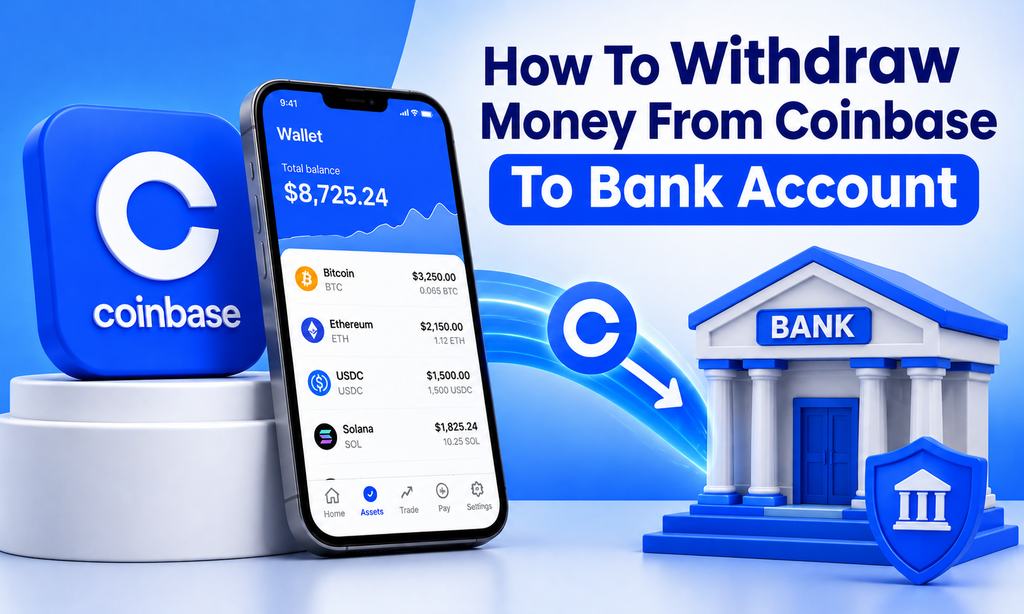
Knowing How To Withdraw On Coinbase is important when you are ready to move money from your Coinbase account to a bank account or another supported payment method. The process is generally simple, but withdrawal times, availability, fees, and payment options can vary depending on your location and account.
Usually, you must first sell cryptocurrency for cash before you can complete a Coinbase money withdrawal to a bank. Coinbase says crypto sold to an eligible cash balance generally becomes available immediately, although funds subject to a hold may not yet be withdrawable.
This guide explains How To Withdraw Money On Coinbase, how to handle a Coinbase Withdrawal Pending, and common reasons you may not be able to cash out.
How To Withdraw On Coinbase
If you already have money in your Coinbase cash balance, withdrawing it can be straightforward.
On the Coinbase website:
- Sign in to your Coinbase account.
- Select Withdraw Cash from the Home page.
- Enter the amount you want to withdraw.
- Choose the currency and withdrawal destination.
- Select Preview.
- Review the amount, destination, and applicable fees.
- Select Withdraw Now.
On the Coinbase mobile app, go to Cash, select Withdraw, and then choose Withdraw Cash. Enter your amount, choose the destination, review the transaction, and confirm it.
That is the basic process for anyone searching for How To Withdraw On Coinbase.
How To Withdraw Money From Coinbase To Bank Account
For users wondering How To Withdraw Money From Coinbase To Bank Account, there are normally two stages.
Step 1: Sell Your Crypto for Cash
If your balance is still held in Bitcoin, Ethereum, or another cryptocurrency, you usually need to sell the crypto into an eligible cash balance first.
From Coinbase:
- Select Sell.
- Choose the cryptocurrency.
- Enter the amount.
- Confirm the destination cash balance.
- Review your order.
- Select Sell now.
Coinbase says completed crypto sales to a cash balance generally make the proceeds available in that balance immediately, except where a hold or other restriction applies.
Step 2: Withdraw the Cash
After the sale, select Withdraw Cash, choose your linked bank account or another supported cash-out method, enter the amount, and confirm the transaction.
Payment methods and withdrawal options vary by country, so the options displayed in your Coinbase account are the most relevant ones for you.
How Long Does a Coinbase Withdrawal Take?
The time required to withdraw from Coinbase depends on the withdrawal method.
Coinbase displays an estimated completion date before you confirm a cash-out transaction. Processing times can vary by payment method and may be calculated in business days.
Eligible users may also have access to Coinbase Instant Withdrawal options.
For example, Coinbase states that eligible instant cash-outs typically arrive in about 30 minutes but can take up to 24 hours depending on the bank or card provider. Availability depends on your country, payment method, and eligibility.
Always review the estimated delivery time before confirming a withdrawal.
Why Can’t I Withdraw Money From Coinbase?
A common question is, “Why Can’t I Withdraw My Money From Coinbase?”
There are several possible causes.
Funds Are Still on Hold
A recent cash deposit may be available for buying or trading crypto but not yet available for withdrawal.
Coinbase explains that deposited cash can sometimes be placed on hold for security and fraud-prevention purposes. The available balance shows how much you can currently transfer or cash out.
If you are searching Why Can’t I Withdraw From Coinbase, check your available balance before assuming something is wrong with your account.
Your Payment Method Is Not Supported
Cash-out options vary by country. Some users may have bank withdrawals, while others may have supported cards or different local payment methods.
Account Restrictions
Temporary security, compliance, or transaction restrictions can sometimes affect withdrawal availability.
Your Crypto Has Not Been Sold
Having cryptocurrency in your account does not necessarily mean you have cash available to send to your bank. You may first need to sell it into your cash balance.
Coinbase Pending Withdrawal: What Does It Mean?
A Coinbase pending withdrawal means the transaction has not yet completed.
For bank cash-outs, processing may simply still be underway. Coinbase recommends checking the estimated completion date shown during the transaction.
A Coinbase withdraw pending status involving cryptocurrency may have different causes, including network congestion, insufficient blockchain confirmations, or temporary network synchronization issues.
If you are asking, “Why is my Coinbase withdrawal pending?”, first identify whether the transaction is a cash withdrawal or a cryptocurrency transfer. The troubleshooting steps are different.
Can You Cancel Pending Withdrawal Coinbase Transactions?
Whether you can cancel pending withdrawal Coinbase activity depends on the type of transaction.
Most completed or blockchain-confirmed crypto transactions cannot simply be reversed.
However, Coinbase says a crypto payment sent to an email address or phone number that has not yet been accepted may be canceled while it is still pending. On Coinbase.com, open the pending transaction and select Cancel payment when that option is available.
Coinbase vault withdrawals are another special case. A pending vault withdrawal can be canceled before completion through the vault transaction details.
Do not assume every pending bank or cryptocurrency withdrawal can be canceled.
How To Withdraw Money From Coinbase Wallet
The phrase How To Withdraw Money From Coinbase Wallet can mean something different from withdrawing money from a regular Coinbase account.
If your cryptocurrency is stored in a self-custody wallet, you generally need a supported cash-out service or must transfer the crypto to an exchange where it can be sold.
Coinbase’s current wallet-related cash-out service allows eligible users in supported regions to cash out through available Coinbase or third-party payment methods. Availability and fees depend on location and provider.
Always check the wallet address, cryptocurrency, and blockchain network carefully when transferring crypto. Blockchain transfers may be irreversible.
Common Coinbase Withdrawal Issues
Some Coinbase Withdrawal Issues can be resolved by checking a few basic details.
Before attempting another withdrawal, confirm that:
- Your Coinbase account is verified.
- You have an available cash balance.
- Your bank or payment method is supported.
- Recent deposits are no longer on hold.
- Your Coinbase app is updated.
- The withdrawal amount does not exceed your available balance.
- You have reviewed any displayed fees and processing times.
If you repeatedly see Coinbase Withdrawal Pending or cannot withdraw after the stated availability date, use official Coinbase Support rather than giving account credentials to someone claiming they can release your funds.
How To Cash Out Of Coinbase Safely
When you Cash Out Of Coinbase, security is just as important as speed.
Use only the official Coinbase website or app. Never provide your password, two-factor authentication code, recovery phrase, or private keys to someone offering to complete a withdrawal for you.
Also review the destination before confirming your transaction. A wrong bank account or crypto wallet address can cause delays or permanent loss of assets.
Conclusion
Understanding How To Withdraw On Coinbase mainly involves converting eligible crypto into a cash balance and then transferring that available balance to a supported bank account or payment method.
If you cannot Coinbase Withdraw Money, check whether your funds are on hold, whether your payment method supports withdrawals, and whether the transaction is still processing.
For a Coinbase pending withdrawal, review the transaction status and estimated completion time before taking further action. Because payment methods, availability, fees, and processing times can vary by account and location, always review the final transaction details shown inside Coinbase before confirming.
Frequently Asked Questions
1. How To Withdraw Money On Coinbase?
Sell eligible cryptocurrency into your cash balance if necessary, select Withdraw Cash, enter the amount, choose a withdrawal destination, preview the transaction, and confirm it.
2. How To Withdraw Money From Coinbase To Bank Account?
First make sure you have an available cash balance. Then select Withdraw Cash, choose your linked bank account, enter the amount, and confirm the transaction.
3. Why can’t I withdraw money from Coinbase?
Your funds may be on hold, your cash may not yet be available, your payment method may not support withdrawals, or your account may have a temporary restriction.
4. Why is my Coinbase withdrawal pending?
A bank cash-out may still be processing, while a pending crypto withdrawal may be waiting for blockchain confirmations or experiencing network delays.
5. Can I cancel a Coinbase pending withdrawal?
Not every withdrawal can be canceled. Certain pending payments sent to an email or phone number and some vault withdrawals may have cancellation options, but confirmed blockchain transactions generally cannot be reversed.
6. Is Coinbase Instant Withdrawal available?
Eligible customers with supported payment methods may have access to instant cash-outs. Coinbase says these typically take around 30 minutes but may take up to 24 hours depending on the bank or card provider.